GRAND FlAGallery – Fantastic WordPress Plugin
GRAND Flash Album Gallery
Skins for GRAND FlAGallery, Photo Galleries, Video Galleries
developed by CodEasily.com - WordPress Flash Templates, WordPress Themes and WordPress plugins
The Flash Player and a browser with Javascript support are needed..
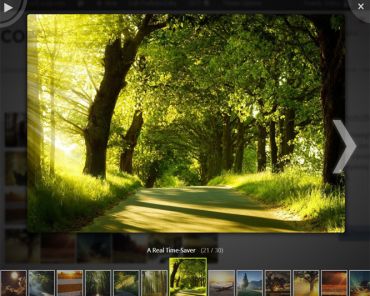
Are you looking for a better way to manage and display photos on your blogs??? Then you must try this fantastic Flash Album Gallery WordPress plugin. With this free Wordpress photo gallery plugin you can easily managing photos and images through a set of admin pages, and it displays any image gallery in a way that makes your web site look very professional. You can display galleries with a beautiful flash skins integrated with Flash Album Gallery.
Make your blog nicer and your life easier!!! ;)
Before upgrade from old version BACKUP your skins folder, please!!! If FlAGallery get an error after upgrade, go to FlAGallery Overview page and press ‘Reset settings’
Free download: GRAND FlAGallery v.0.39pl1
See it in WordPress plugins repository.


Hello, you bring up on the home page the last photos uploaded?
Thanks
Hi, any php code to insert this into themes??
thanks.
$galleryID = ‘4′; // ID of each gallery you wand to display separated by comma
$name = ‘Home Page’; // album name
$width = ‘400′; // flash width
$height = ‘240′; //flash height
$skin = ‘wp_photo_pro_1_1′; // Skin folder name
echo flagShowFlashAlbum($galleryID, $name, $width, $height, $skin)
hi there, any chance you can talk me through where to insert the code above so i can use your gallery with my theme ( Vortex from ThemeForest )??? Having troubles , the default wpress theme works fine with the gallery but the Vortex theme does not see it, although its all sitting there on my server, everything in all the right places.Cheers.
Good afternoon!
I have noticed that since upgrading WordPress to version 2.8.6, that the thumbnail creator doesn’t work (gd.thumbnail.inc.php). It displays an error when it tries to create thumbnails.
Could an incompatibility have occurred when WordPress was upgraded?
Thanks!
I have the same problem with 2.9.1ID 116: A failure occurred [object XMLHttpRequest]
I also have resize problems, but not with the general wordpress image resize
Hi, thanks for the excellent flash gallery! Easy install. It works seamlessly with my Wordpress. Sincerely, thank you very much for your time and work.
Hi is there a way to edit the skins?
no, you can’t edit skins
i get a spinning % sign when i try to view the gallery.. what does thats mean. the skin appears.. but the photos do not
It’s mean that flash can’t get access to photos
that’s the same problem i’m having. is there a way to fix this?
hmm i changed the skin and now it’s loading fine.. just fyi, default and default international had issues loading my images.
Is there a way to reduce the size of the thumbnail containers? I am able to change the sizes of the thumbnails but the box around them does not change accordingly…
the option to change thumbnail size is for feature skins, where thumbnails will be bigger or smaller and you’ll be able create galleries with different thumbnail sizes
I have downloaded your program and it looks well except that when i download pictures they wont show… I dont have a clue why because everything else is there.
Bo
I need to see the problem, then I can solve it. Your words explain me nothing
I installed the FIA Gallery update that was available today. After the update my galleries no longer display and give error #2035 – see the three galleries linked from http://discoverchina.info/galleries/. I reset all settings to default but it has made no difference.
Download the plugin again and replace all files via FTP. Or simply write the name of the album in a shortcode ([flagallery gid=all name=Gallery])
A look via ftp shows that all of the image gallery folders that had previously been created by FIA gallery were erased by today’s FIA Gallery upgrade. The galleries and image names are still listed in the FIA Gallery but there are no thumbnails as there are no longer any images. Installing the plugin again isn’t going to bring them back – I will have to go through the laborious task of ftp uploading, sorting etc. again. As well as warning people to back up their skins before upgrade, you need to also warn them to backup their gallery folders.
default images folder should be : …/wp-content/flagallery/shaolin-temple/Shaolin Temple 01.jpg
but you have : …/wp-content/plugins/flash-album-gallery/shaolin-temple/Shaolin Temple 01.jpg
Seams like you’ve changed path to images folder in options page.
When wordpress update the plugin, it completely erase plugin folder (flash-album-gallery) and copy new files. I warning people to back up their skins before update, because skin folder is in plugin folder and images folder is outside by default.
Ah, I see, yes I did change the path as I couldn’t get the ‘Import image function’ to work when I ftp’d the image folders into wp-content/flagallery but it worked fine if I put them in wp-content/plugins/flash-album-gallery. I then sorted the images into new galleries not realising the ultimate consequence of those galleries being created in wp-content/plugins/flash-album-gallery.
Many thanks for your very quick feedback and a good plugin…I’ll make sure to set the default is set to wp-content/flagallery before creating any new galleries from the reload.
Any way to make the album go directly into slideshow mode when a WP article is viewed?
only with a skin named “Slideshow”
OK…how do you rename a skin to ’slideshow’?? BTW – GREAT plug in – THANK YOU!!
Excellent plug-in. I run a ProPhoto 2 Blog Theme which I suspect has a filename clash with this plug-in (swfobject.js). With this plug-in active, IE8 indicates the page loads with error and points this file, but in the content / themes folder. You file obviously is in the plug-ins folder. When I disable Flash Gallery, the “error” goes away. Is this indeed due to the filename match?
your theme is using swfobject v.2.0 and GRAND FlAGallery – swfobject v2.1. This can cause errors
After upgrading to the newest update today I now get the following error:
Warning: Missing argument 5 for flagShowFlashAlbum(), called in /home/content/40/4952440/html/wp-content/themes/greenway-3c/sidebar.php on line 38 and defined in /home/content/40/4952440/html/wp-content/plugins/flash-album-gallery/lib/swfobject.php on line 12
I am using this to show the Gallery outside of Posts\Pages, I use it straight in my sidebar:
download plugin again and re-install it or just add argument 5 to php function in your sidebar:
where $galleryID = ID of galleries you want to show separated by comma;
$name = ‘Album name’;
$width = flash width (can be in percent);
$height = flash height (numbers only);
$skin = ” – folder name of skin you want to use (leave blank for default active skin).
There is more easiest way. You can use this function instead previous:
Create shortcode easily through FlAGallery button in post editor. Then copy it and insert in function above. That’s it. Use this function anywhere you want.
Thanks. Looks like i forgot to paste in the code I was using.
echo flagShowFlashAlbum($galleryID, $name, $width, $height);
I added , $skin and it works like a charm now.
Older versions did not require the $skin I take it?
Is there a way to list more than one photo album using the same viewer. I noticed that there is the “all categories” listed at the bottom of the viewer and want to allow folks the option to view other albums. Is that possible? If so what is the code?
see video tutorial
Dear codeeasy,
Yesterday i install FlA successfully, but today when i upload image no thumbnail is there.
Even when i click create thumbnail link, i cannnot select area, seem like drag and drop that image (but couldn’t).
Or neither if i check it and create new thumbnail.
Please help me.
Lately i know the reason why…
I used Dewdrop 1.8 by Brambling Design theme. That theme cousing FlA thumbnail improper.
Thanks
I’ve notice that I can’t manage photos anymore. I was able to establish 1 gallery but when I went back to create another The manage page was screwed up. I thought that maybe it was the upgrade to 2.8.6 so I deleted and re downloaded plugin however the page is still screwed. Can’t create all links are scrolling behind the partial word create and will not function when clicked.
Is it 2.8.6????
Any thoughts????
It’s incompatibility with some other plugin. Try deactivating other plugins one by one and check manage page
I cant tell how much time saver this thing is. You don’t mind if I ask how much time you spent on developing this plugin?
about 4 month in a free time
Thanks very much for your gallery.
I would like to use it on a per-post basis, and therefore do not want a visitor to a particular post to have the option of selecting galleries that are only meant to be associated with other posts (using the “all categories” button). Is there a way to turn this button off?
thanks, peter
A truly fantastic gallery plug in – thank you very much… I love it!
Just one question – I have put descriptions titles and alt tags on a number of images in my first and only gallery of pictures and they titles descriptions etc dont show up.
Have I missed something?
Cheers
Neil
there is button “i” on every flash skin. If you click it you’ll see image description
is there any way to get the item description to automatically appear at bottom of photo without hitting info button?
Thanks, so simple to download, upload, makes a great impact in showing off pics.
After struggling with Slidepress yesterday, and getting no images to appear in the slideshow, I found your plugin and I love it. Easy to load images, love the skin options. Looking forward to using it more extensively. Thanks!
Hi there,
After A LOT of hunting around for decent slideshow apps, I LOVE this! Awesome! I just have a quick question… Can I change the speed of the slideshow? It ticks over a bit too quickly for me…
Thanks again! Brilliant app!
Hi!
Can somebody help me Please !! :-(
I cannot create a gallery, therefor i cannot upload any picture.
When i try to add a new gallery i get this message
Directory wp-content/flagallery/ didn’t exist. Please create first the main gallery folder !
Check this link, if you didn’t know how to set the permission : http://codex.wordpress.org/Changing_File_Permissions
How can i create a main gallery??
What am i doing wrong!
I just want to have put a image and a slide show in my web site…
very grateful in advance.
nuno/portugal
Is it possible to increase the memory size? I intend to upload quite a lot of pictures but it only allows me 64mb.
Thanks!
ask your hoster
awesome job with this plug in… One of the best Ive seen so far; and its a dynamic flash module!
I only have one question. Is there any way to set the images to play on slide show when the page loads, or by default etc…?
Thanks
keep on killin it
Hi.
Really nice gallery, thanks for your work.
I’m using WordPress PhotoGallery PRO 1.1 skin (http://photogallerycreator.com/flagallery-demo/?skin=wp_photoPro_1_demo/wp_photoPro_1_demo.php&height=420&gal=6_4_5_1) and have a few questions about this:
1. How to avoid from resizing photos, the worst appearance is in the full screen mode. (please see http://sensorydeprivationkitchen.com/50hz_test/arkoldjedoie-ndikwie-jn/). Option “resize images” in image settings do nothing.
2. How to change the size of the thumbnails, settings in thumbnails options doesn’t do anything… Also edit thumb doesn’t work (nor cropping).
3. Sometimes images just doesnt appear after clicking on thumbnail or arrow, it looks like they just arent there and after time they work fine… How to solve this problem?
I’m on Fat Cow host, it is just a test site so I’m playing with everything all the time – if it changes anything…
Thanks one more time!
1. PhotoGallery PRO 1.1 skin automatically resize the image the width of the flash, but Green Style skin not. There is an action “Resize Images…” on Manage Gallery page.
2. Size of the thumbnails is option for feature skins.
3. Maybe images just loading and some of them take more time to show
How can you make the slideshow start automatically without having to hit the slideshow button in the bottom right corner? I’ve gone through all the options and code and I can’t find anywhere to change it so that you don’t have to click through the images first.
Thanks!!
download skin with auto slideshow
I keep getting this error message when I activate your product
How do I fix this???
Warning: curl_setopt() [function.curl-setopt]: CURLPROTO_FILE cannot be activated when in safe_mode or an open_basedir is set in /home2/edhayes/public_html/wp-includes/http.php on line 1302
Warning: curl_setopt() [function.curl-setopt]: CURLPROTO_FILE cannot be activated when in safe_mode or an open_basedir is set in /home2/edhayes/public_html/wp-includes/http.php on line 1303
plugin will not working when server in safe mode
I updated my wordpress to 2.9.1 now the Flash Gallery doesn’t work, when I attempt to upload images – I keep getting an error saying there is not images in the gallery folder…. strange
Also if I buy your plugin, will it have the link to your site or will this be removed? And will it work on the newer version of WP?
thx
that can be folder write permissions on ftp.
My plug-in is free and there are few skins for it for free too but with back-link. You can buy only custom skins without back-link in flash. I’ll keep updating my plugin for feature WP versions
thank you for the reply – will check the ftp permission which it just maybe as it works on other sites. this is a great plugin thank you. oh I thought I saw that your new version was $25 – ok its the skins. thx.
exact message I am receiving
……..wp-content/flagallery/willow-tree-counselling contains no pictures
the folder or new gallery is created but will not allow me to upload any photos from wordpress – (which is the original error). When I add the photos through ftp they are not seen by the grand flash program – so no ftp permission errors that I can see.
worked fine but just suddenly began giving me this message. I reinstalled but still an same issue. thx
I FIGURED it out, some reason the plugin Conatct 7 was causing the problem. I delete the Contact 7 plugin and reinstalled grand FIAgallery and all works great.
Great plugin. thxs
Hello!
Great plugin, everything seems to work, except in IE8 it generates an error “… J.parentNode’ is null or not an object … wp-includes/js/swfobject.js?ver=2.1″ … and changing colors in Admin Options has no effect … while those issues do not exist in FireFox.
Any help would be greatly appreciated.
… solved by updateding swfobject.js version to 2.2.
hi.
1.I see theres a category option, but I dont understand how to create different cats.
I would love to be able to display multiple albums in one gallery. how is it possible?
2. is there a way to show the dscription automaticly without the need for the i button?
thanks a lot
When I add a new catagory it places it under the existing gallery on the page instead of in the catagory menu slector? What am I’m doing wrong ? So whats happening is that eveytime i ADD new photos it creates a new complete gallery underneath?
If you want to make categories from galleries in one flash album you need change shortcode in the post like [flagallery gid=all name="My Gallery"] or just write gallery IDs separated by comma in the gid parameter. See video tutorial for more
This Is wonderful. Great Work! The admin role options are good. It would be great if there was an option not to allow a role to add images from directory, while still allow them to upload. I love that this is simple enough for my clients to use, but I don’t want them rooting around in anything on the server. It is a great feature for me to use, make things HECKA simple.
Got it. I’ll try to do it in the next version of plugin
I can only get this working in either IE only or other browsers but not IE. Think it has to do with when the javascript is loaded/executed. Haven’t figured it out yet.
I have it up at http://juliecaseyphotography.com/portfolio/seniors/
It’ll load in IE but not Chrome and Firefox. I haven’t tried other browsers yet.
Any ideas?
If you want make flash height 100% for your site you need add styles in style.css:
Thanks for the help. Still doesn’t display in Chrome, but IE and FF takes care of 99+% of the traffic. Good enough for now.
Just in case, someone else runs into this, here’s what I’ve found so far.
1. Settings must have integer values for width and height (no percents) and styles should be set in a style sheet. (That’s a big “Doh!” on my part :)
2. Plugins that optimize javascript or move it to the footer will most likely break this plugin. HTML and CSS can still be optimized.
Hi!
I love the plugin, but I have just discover it does not work properly in Internet Explorer, but it does perferctly with Fire Fox.
Is there anything I can do?
I have read the previus post from Dan but I dont understand (I am afraid i am not very good with this stuff)
Thank you in advance!!
Dont worry, I found it!
The size was wrong!! silly me!
thanks for a superb job!
Hi Kitina,
Could you share your solution with me?
Thanks,
Rene
very interesting work… Thanks a lot!.
The following is the big error only with Firefox; with Explorer all is Ok.
——————–
GRAND Flash Album Gallery
Skins for GRAND FlAGallery, Photo Galleries, Video Galleries
developed by CodEasily.com – WordPress Flash Templates, WordPress Themes and WordPress plugins
Il Flash Player e un browser con supporto Javascript sono necessari..
———————-
Any suggestion, please… Ciao!
install flash player on Firefox
Hi Rattus
I did it… But your program is not running.
Did you try on different computers? send me a link to your gallery
Hi Mr. Rattus
http://www.bomentre.com
I just put now your plugin on home page (right-below).
works just fine on all my browsers (Firefox 3.5.7, Opera 10, IE8, Chrome)
Hi mr. Rattus
I’m happy for you, but not for me!.
Now the problem becomes greater… And I need more your help: I don’t think you have the courage to leave everything as it is now… So?!.
Hi Rattus,
I love your gallery, but like other people I have troubles displaying it on IE7+8 and Chrome. Firefox, opera en IE6 (who uses that anymore?) on the other hand work perfectly.
I have the flash player plugin installed.
If I right-click the place (in Chrome/IE) where the gallery should display, I see “settings” and “about flash player”.
It looks like there is some sort of CSS failure. Changing default flash size in the options page does not change anything…
Could you please help?
Thanks,
Rene
Great gallery. Works like it should.
Thanks for building it ……. Jim
HI,
I’m liking this gallery. Thanks.
1. It doesn’t seem to import exif data. Am I doing something wrong, or is there some other setting that I’m missing?
2. The ‘I’ is not very visible on some screens. Where is the graphic located, so I change the ‘I’ graphic to something that I’ll create?
Test gallery
Thanks,
Cheers.
Hi there, very nice plugin only in my case it only works in Iexplorer and not in Firefox or Chrome or Safari
Firefox etc etc give the following error:
Error! Please, check shortcode for this album…
This is the shortcode i use: [flaggallery gid=all name"Myphotos"]
This is the page http://www.kopstal.nl/wordpress/?page_id=193
Can you tell me whats wrong ??
thanx..
shortcode is wrong, you missed the sign of equality after name parameter. Use button ‘FlAGallery’ to insert right shortcode
Well, that was just a mistype in the message here.
The shortcode i use is [flagallery gid=all name="Myphotos"]
So problem is not solved yet !
Any other ideas ??
Seems like you use some plugin that extends visual editor. And this plugin automatically replace all quotes (“) to "e;.
So, just remove all quotes in shortcode, then ‘name’ parameter should be single word.
Hi thanx for your very very quick responses. Yes you were right, im using the fck editor in Wordpress cause i dont line the tiny editor.
Everything works fine now, thanx again.
Will there be a possibility to make a skins ourself ???
Is there a way to set and change the default skin
Sly
Great Plugin.
I have an issue with my thumbnails. Sometimes they show up, sometimes they don’t, other times they are slow to load. The larger images show up fine. I’m using WP 2.9.1. Could this be a result of low PHP memory? Or would there be any other reason for them not displaying consistently? Thanks again!
ek
The Plugin seems to be extraordinary. But I can’t test it : I’m getting two errors.
When uploading images :
===============
ERROR: adele_henne.jpg :
Warning: call_user_func_array() [function.call-user-func-array]: First argument is expected to be a valid callback, ‘gde_conflict_check’ was given in /var/www/vhosts/www.laurenceprat.com/web/wp-includes/plugin.php on line 339
0
When editing thumbnails :
================
Warning: call_user_func_array() [function.call-user-func-array]: First argument is expected to be a valid callback, ‘gde_conflict_check’ was given in /var/www/vhosts/www.laurenceprat.com/web/wp-includes/plugin.php on line 339
I have 64Mb dedicated to WP. I tried to reinstall 2 times the plugin… but no way
what am I doing wrong ?
thanks in advance
Nicholas
This probably plugins conflict. Try to disable all other plugins one by one and upload images again.
Dear Rattus,
I canceled all the plugin’s, tried from different PC and Mac browsers with WP2.9.1. 64Mb dedicated to wp.
I’m still having problems with pictures upload and thumbnail.
I manually uploaded 3 pictures, they are not showing on test site with 2 different skins :
[flagallery gid=1 name="Gallery"wp_photopro_1_demo]
[flagallery gid=1 name="Gallery"default]
test site : http://www.laurenceprat.com/index1.php
Any idea ?
Thanks !
Nicholas
Pictures are now showing on the gallery. I’m still having the issue with uploading and thumbnail. I’m still investigating.
Regards
Nicholas
if you want display 2 different skins on page, change shortcodes to:
[flagallery gid=1 name="Gallery" skin=wp_photopro_1_demo][flagallery gid=1 name="Gallery" skin=default]
Seems like you show me a bug when inserting shortcode. Thanks
Is there a way to alter the amount of time spent on each image? Can we lengthen the time spent on certain images? Can we create links of the images so they can click on the image to be directed around our site?
for a while you can’t do this
Couldn’t load the Color XML file.Error #1094 What’s that! I did it all like tutorial video and always appears these message!
I need a to see a gallery
i’ve tried on anohter computer but still appears: Couldn’t load the Color XML file.Error #1094.
I can see de video tutorial for sure.
Thanks on advance.
show me gallery with error
I greatly appreciate the plugin. Great job!
I have a problem that I think is probably related to a setting in my browser.
When I first load the page with a gallery, everything works beautifully. However, when I go back to that same page, the gallery fails to load at all. Is this a setting with my browser or something I need to change?
I am using Mozilla Firefox 3.5.7 on Ubuntu 9.10.
My wordpress is 2.9.1.
Thanks for any help you can offer.
Hey there, the FlA plugin looks great and works fine in FF and IE6.
However, the gallery doesn’t show up in IE 7+8 and Chrome for me.
(see http://www.vdwracing.nl/mosel/?page_id=78)
I’ve read and tried some of the above suggestions, where I use only exact width and heigth (no percentage) in the settings and even in my page embed tags. Still no gallery is showing..
Did I forget something, or are IE and Chrome just not supported?
try remove ( ‘ ) symbol from album name
Thanks for the quick reply!
I tried removing the (‘) from the album name (name=”Foto’s” > “Fotos” is what you meant, right?). Still no result in Chrome and IE..
Hey I keep getting flash error:
TypeError: Error #1010: A term is undefined and has no properties.
at as3::Monitor/init()
at as3::ImgGallery/openItem()
at as3::ImgGallery/selectCategory()
at as3::ImgGallery/loading()
and as a result my gallery isn’t working – is there a way to fix this?
Any help would be much appreciated.
plugin does not in chrome or opera, only in IE
any suggestions?
thanks
you have wrong shortcode. There was a bug when inserting shortcode with choosen skin and I fixed it in latest version. Update plugin, remove shortcode, generate shortcode again and insert in the post.
Bad shortcode:
[flagallery gid=2 name="Gallery"default_int]Good Shortcode:
[flagallery gid=2 name="Gallery" skin=default_int]You should use skin parameter only when you want to show gallery in skin that not active at the moment.
Hello!
I’m having trouble with this fla. I can get the slide show into a post but it will not show if I do not also add a photo to he post out side od the slid show. but if I put the photo in the slid show is then half way off the page. I need to know if I can center it?
Hi.
How do I add different categories to one gallery? I’d like to have one photo album/gallery but be able to divide sets of pictures into multiple categories. I’m seeing a button for “All Categories” in the lower left portion of the screen, but I don’t know where to add this feature.
Also, I’m not clear on how to get the alt tag info to appear when I hover over a picture for which I’ve added alt tag and description text. Why don’t the alt tags appear upon mouse rollover?
Thanks for your answer, and for developing this tool.
Rachel
Please, watch the video tutorial first.
Add categories with shortcode by gid= parameter: all – for adding all galleries as categories; 3,1,2 – galleries ID separated by comma.
Click ” i ” button in the flash to see image description.
Thank you, I’ve now got the categories working.
However, I don’t see the “i” button to which you refer. Usually alt tags appear when you hover the mouse over the image. What am I missing here?
I’m using an Apple computer.
Can I get a version with out the bottom navgiation items? Without the gallery shortcut, the slideshow link, the fullscreen link & the other link?
Hi,
I was wondering if i can use your album in multiple sites. If yes can you send me a invoice via email so that i can pay you $25 for the album.
Thanks
Rick
Hi, great plugin! Thanks…
How is the code and the parameter from the gallery to embed this in an other site? (facebook ect.)
Hi,
I installed your plugin FIAG but when I try to create a miniature I have this error :
ID 31
bhp00_160701.jpg (Error : Exceed Memory limit. Require : 66.26 MByte)
I don’t understand the picture is small and I have a lot of space and memory from my hoster. Can you help me, please?
Thanks.
Very good and has worked very well for about 3 months now has a glitch which I dont know where to start to find the Fault. Tried the reset that made no difference. When the gallery is opened all I get is Couldn’t load the Main XML file.Error #1090.
[...] decided then to try out another gallery/slideshow plugin and flAGallery looked the best. After installation, I copied all my images to flAGallery, retyped all the info [...]
Public thank you to Sergey ‘Rattus’ Pasyuk:
http://vignamaru.com.br/2010/02/20/thank-you-note/
(english spelling and grammar corrections are welcome)
Greetings from Brasil,
Carolina.
Is there a limit to the number of sub galleries that you can use, I get an error code when I tried to use 6 sub galleries
there is no limit of categories in GRAND FlAGallery. If you get an error, then check all your galleries and make sure that all photos are displayed and the name does not contain special characters
I keep getting errors with some photos upon uploading… Here is the error
# ID 90: A failure occurred
[more]
[object XMLHttpRequest]
I can not manually create thumb nail it just errors out… the photos do show up but then it says Error where the thumbnail is…. take a look http://www.dreamtouchphoto.com it is under the children section.
Please let me know
The Error is on upload of photos…. You need to look at the Children Category because thats the location of the bad file…. I have manually downsized it and that did nothing. Please Help
Some people write me with the same problem with 1and1 hoster. The problem was solved. Here’s what he wrote:
thanks for the solution. I was on 1and1 as well and had the same problems. Now it is working.
Thanks so much, fixed my problem… didn’t even notice what php I was running before…
It’s a very nice plugin I use for long times..
However, I’ve a bug. When a contributor user try to upload, the plugin doen’t send photos and reply: “0 picture added”.
Thanx if you’ve a fix! ;D
Pierrick.
Check folder permissions or write me error that you get
First, thank you to your quick reply!
Folder permissions are on 777 and FAG is set to allow Contributor to upload.
Script say: “Folder: www/[...]/test doesn’t contain any pictures.”
Then, “0 picture added”.
I need temporary access to wp-admin, so I’ll try to solve your problem. Use contact form on About page
Hi is there a way to always show the information of the picture instead of having to click the “i” for the information?
I would like to show the information on the side of the picture at all time
Thanks
Hi you all,
i have install GRAND FlAGallery , can sie it in explorer ,but not in google chrome ho nows whats te problem
java is instaled
greetings
Pieter
Hi,
if I make a gallery with more than 40 photos I get this error “couldn’t load the main xml file. error #1090″ …How can I fix? tnx
check name of photos you upload. Try remove all special characters from name and title
thanks.. I forgot to remove some apostrophe.
This plugin is really well done, the best alternative to nextgen gallery.
I used this plugin for a client of ours and I’m planing to use it on my site.
Thanks.
Just updated your plug-in on my site.
Works well. Update went smoothly. Site uses WP 2.86 and Atahualpa theme at this time.
http://www.photomentors.com
Here is a page showing two galleries on the same page. In this case they show photos made by Tina Modotti and another gallery of photos OF Tina Modotti.
http://photomentors.com/2010/02/01/street-photography/masters-of-photography-tina-modotti-profile-gallery/
I have 17 galleries up on my site, each using Grand.
Thanks for providing the plug-in. It is a very nice solution.
I will consider other (paid) skins in future as the site develops and I get more time with the various plugs and features etc.
________________
Suggested Feature on Skin:
One feature or change request. I wish the “Full Screen” button was more clear or larger or something (perhaps the words “Full Screen” on a larger button). I suspect many people do not see it as “full screen” (FS) and may miss the opportunity to see the images at larger size.
My gallery fits in a 500px wide center column of the page template. So many of the images I want to show are small on the Gallery Skin unless someone hits that button. In short, I think a full word is better than “FS” on the buttons. The same applies to “SL” for Slide. While these may seem intuitive to some or you, I don’t think it is “clear” to a typical visitor who may not know anything about this gallery at all. Also, the buttons are small (just two characters) and dim looking (on the skin I prefer, the one with the gray shadowbox).
Also, it would be nice if there was a “Back” or similar button ON the skin so when someone enlarges to Full Screen size, there is a clearly identified button showing to help them reduce the size of the gallery back to normal size. Perhaps have a toggle button that alternates from Full Screen to “Reduce Gallery” or “Normal Size” or “Back” or similar.
I hope these comments help you. :)
Hi,
What is the coding and where do I put it if I want to have the album as part of my homepage? I am using wordpress hosted on a domain. I want it to be right where it says private gallery. Please help!
You can use standard WordPress function to insert shortcode in template files:
Just make shortcode with FlAGallery button in post, then cut it and paste in
echo do_shortcode($shortcode);functionlet see if i am understanding this. You go to add a new post and click the FlAGallery button and copy that code into my homepage.php?
Yes. Generate shortcode and use it with
do_shortcode();function in theme php filehi,
I can’t seem to get it to work. This is what I am putting into my home php, I don’t have a templete php. I am using the agent theme via studio press. Thanks for the help
well the code didn’t show up, but its exactly what you posted, except with the shortcode pertaining to my album
I did transfer all the files and database to new server. After transferred, I found that the skin for Flash Album Gallery disappear from the skin setting but still exist in the public_html/wp-content/plugins/flash-album-gallery/skins/
When I try to install new skin from download, the message below appear..
Installing Skin from file: lightgrey.zip
Unpacking the skin package
Installing the skin
Could not create directory: /home/vol12/xtreemhost.com/xth_4887235/htdocs/wordpress/wp-content/plugins/flash-album-gallery/skins/lightgrey
Installation Failed
Pls help
Check folder write permissions
Melhor plugin que encontrei para album de fotos…
muito bom mesmo…
Pelo menos encaixou certinho para o trabalho que precisava.
Parabéns galera
I have one page that the visual editor will not show on when I go to edit. When I disable this plugin, everythings fine.
Has anyone encountered this? I recently update WP, but this happens before and after.
Other than that, this plugin has been awesome! Thanks!
hello, i really like your plugin and activate it in my site but to tell you honestly, i really don’t know how it works, i can see that its already activated but can you teach me how i can see in my site. (so silly me) thanks for your time.
Watch video tutorial on my site
works brilliantly. a great plug-in. thanks for all your hard work!
Hey there,
I purchased the Commercial International skin. I really love this plugin. However, I do have one question. In the options menu, I can enable “A RSS feed will be added to you blog header.” What does the RSS feed show? Each new picture uploaded into a gallery? What is the RSS feed link? I can’t seem to find any of this information anywhere. Your video tutorial doesn’t even mention it.
Thanks in advance!!
Hi,
you said, resizing thumbnails is an option for feature skins. that means NOT the free downloads?
Regards
Thomas
I can’t get your video tutorial to load at http://codeasily.com/wordpress-plugins/flash-album-gallery/grand-flash-album-gallery-wordpress-plugin-video-tutorial
Could you post another link? Thanks.
Try different browser
Finally got to watch the video. Understand categories now. Is there any way to change “All Categories” to something else? For my use “All Weddings” would be nice. I see an xml folder but no xml doc in there. Thanks.
No, there is no way to change buttons
Also, on purchase, is the fla file made available or any other means of editing the buttons: All Categories, SL, FS and PGC? They’re all a bit cryptic for a casual user, especially pgc. Clicking that and being taken to PhotoGalleryCreator.com is quite annoying. Would much rather that be an apparent link to the external site, like an obvious credit to the creator. Otherwise nicest gallery I’ve seen that doesn’t require my client to learn a lot of shortcode.
There is no way to change buttons in all skins
Hey there,
I purchased the Commercial International skin. I really love this plugin. However, I do have one question. In the options menu, I can enable “A RSS feed will be added to you blog header.” What does the RSS feed show? Each new picture uploaded into a gallery? What is the RSS feed link? I can’t seem to find any of this information anywhere. Your video tutorial doesn’t even mention it.
Thanks in advance!!
(Sorry for the repeat, but I haven’t gotten an answer)
link to my gallery #1 rss:
http://codeasily.com/wp-content/plugins/flash-album-gallery/xml/media-rss.php?mode=gallery&gid=1
and last 10 pictures:
http://codeasily.com/wp-content/plugins/flash-album-gallery/xml/media-rss.php?mode=last_pictures&show=5
Is there a way to show multiple galleries in the RSS feed?
The way I have my site setup is that I have a “newest additions” on the front page, and then 5 categories with categories for each in which I write my description and all.
I’d like the RSS feed to show all galleries except for the “newest additions” one.
?mode=gallery&gid=1,2,3,4 does not seem to work, as it only shows gallery ID: 1. Any suggestions?
Hey again,
Not sure if I would need to pay for this support or not, but is there a way to have the RSS edited so that the feeds embed the images I’ve uploaded?
I basically want to be able to open up Google Reader, view my feed, and have each feed item show the title and description of the picture, as well as embedding the image into the feed.
Also, per a previous question,
“Is there a way to show multiple galleries in the RSS feed?
The way I have my site setup is that I have a “newest additions” on the front page, and then 5 categories with categories for each in which I write my description and all.
I’d like the RSS feed to show all galleries except for the “newest additions” one.
?mode=gallery&gid=1,2,3,4 does not seem to work, as it only shows gallery ID: 1. Any suggestions?”
Sorry for having so many questions. I want to get this working the way I need it to.
I’m working on it. Wait for update. I’ll try to realize all your wishes
You rock, sir. Thank you very much :)
Has anyone else experienced this plugin suddenly stopping? Please don’t just say deactivate other plugins. No new plugins have been added. It was working. How to uninstall? Simply delete files or is there a cleaner way? Thanks.
You probably change site url or so. Just click reset options on Overview page or Uninstall to delete tables from database and images.
Just to add: experiencing this on more than one computer.
I really don’t think that problem is in my plugin. Something wrong with your FF browser. Try it on different computers. I’ve checked your site with firefox on different computers and on my laptop… my plugin works fine, I see flash and photos and don’t get any errors. Can you see flash album on my site with your FireFox???
ufff what a mess!lol… i’m going to try your solution!thanks a lot for you plugin!