
GALLERY FOR WORDPRESS
Grand Flagallery – powerful image gallery for WordPress.
KEY FEATURES
-
Easy upload images
Powerful engine for uploading and managing photo galleries of images & videos, with the ability to batch upload, delete, rearrange, sort images.
-
Centralized gallery management
Enjoy a single location where you can see and manage all your galleries.
-
Edit galleries
Add or exclude images, change gallery title and description, reorder of images, resize thumbnails.
-
Thumbnail Management
Turn thumbnail cropping on and off, customize how individual thumbnails are cropped, and bulk resize thumbnails across one or more galleries.
-
Albums
Create and organize collections of galleries, and display them in either compact or extended format.
-
GRAND Pages
Full Window Gallery Template. You can display your image gallery in full window separate page (gallery template).
DEMO

Paginator
HTML5 Skins Skins

Horizon
HTML5 Skins MultiGallery Skins

AlbumNavigator
HTML5 Skins Justified MultiGallery...

AlbumWiz
EXIF Info Grid HTML5 Skins LightBox...

FlaSlider
Auto Slideshow EXIF Info HTML5...

Amron
HTML5 Skins Masonry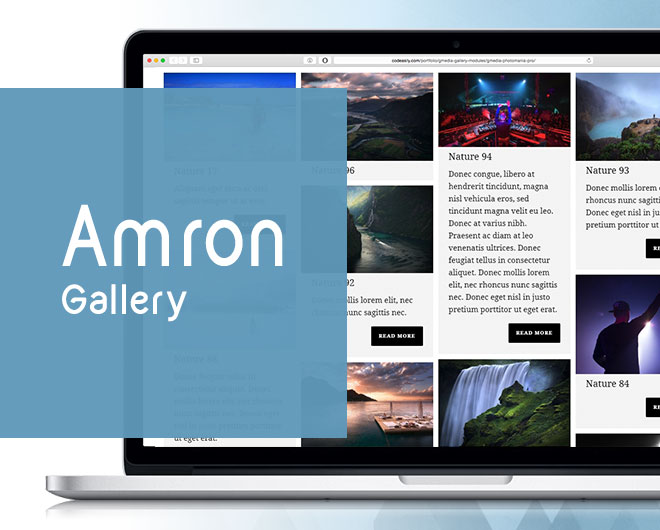

Cicerone
EXIF Info Grid HTML5 Skins Justified...

WoowSlider
Auto Slideshow HTML5 Skins Slider

Desire
Auto Slideshow EXIF Info HTML5...

Cubik
3D EXIF Info HTML5 Skins LightBox

Albums Switcher
Grid HTML5 Skins LightBox MultiGallery

PhotoCluster
Grid HTML5 Skins LightBox MultiGallery
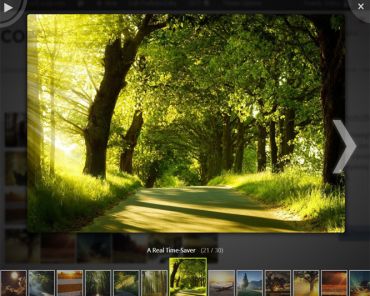
PhotoBox
3D Auto Slideshow Grid HTML5 Skins...

Nivo Slider Gallery
Auto Slideshow HTML5 Skins Slider
GET PREMIUM LICENSE
PREMIUM License $ 29 |
The license key will only work on the web-site specified by you, so be careful when writing.
You are not allowed to include our products in applications that are for sale.
You are not allowed to directly or indirectly license, sub-license, distribute, redistribute, sell or resell these products.